How to build an email list from your Instagram bio
By Tayyab, founder of biolio6 min read
To build an email list from Instagram, offer one useful freebie, put an email signup box on your link-in-bio page, and mention it in your posts and Stories every week. Here's each step, plus what to send once people join.
Key Takeaways
- A typical Instagram post gets likes or comments from about 0.5% of an account's followers. An email list is a second way to reach the people who want to hear from you.
- Offer something specific in exchange for the email: a checklist, a preset, a short plan. "Join my newsletter" rarely works on its own.
- Put the signup box near the top of your bio page and ask for the email only.
- Send a welcome email with the freebie, then write on a schedule you can keep.
Why an email list is worth having
Most of your followers never interact with a given post. Socialinsider's benchmark study of 67 million posts from about 579,000 business accounts puts the average Instagram engagement rate for 2025 at 0.48% of followers (Socialinsider). On an account with 5,000 followers, that's about 24 likes and comments per post.
Email works differently. An email goes to everyone on your list, and the list is yours: you can download it and take it to any tool. It also tends to pay back. In the Litmus State of Email 2025 survey of nearly 500 marketers, 35% said email returns $10 to $36 for every $1 they spend on it (Litmus).
You don't have to pick one over the other. Instagram is where people find you. Email is where you tell them about a launch and know it arrived.
Step 1: Pick one freebie
People give an email when they get something for it. Pick one small thing you can make in an afternoon and that your followers already ask you about.
| If you are a... | A freebie that works |
|---|---|
| Fitness or yoga teacher | A 7-day routine, one short session a day |
| Photographer | Two free presets or a phone photo checklist |
| Coach | A one-page worksheet or a 5-day email challenge |
| Artist or designer | A phone wallpaper pack or a printable |
| Food creator | Five weeknight recipes as a PDF |
| Seller of digital products | The first chapter or a sample of the paid product |
A sample of something you sell is a good choice, because the people who sign up for it have already shown interest in the full version. If you don't sell anything yet, this guide to selling digital products from your bio covers the setup.
Step 2: Add a signup box to your bio page
Instagram lets you add up to five links to your profile (Engadget), but none of them can collect an email. For that you need a page with a signup box, and a link-in-bio page is the simplest place to put one.
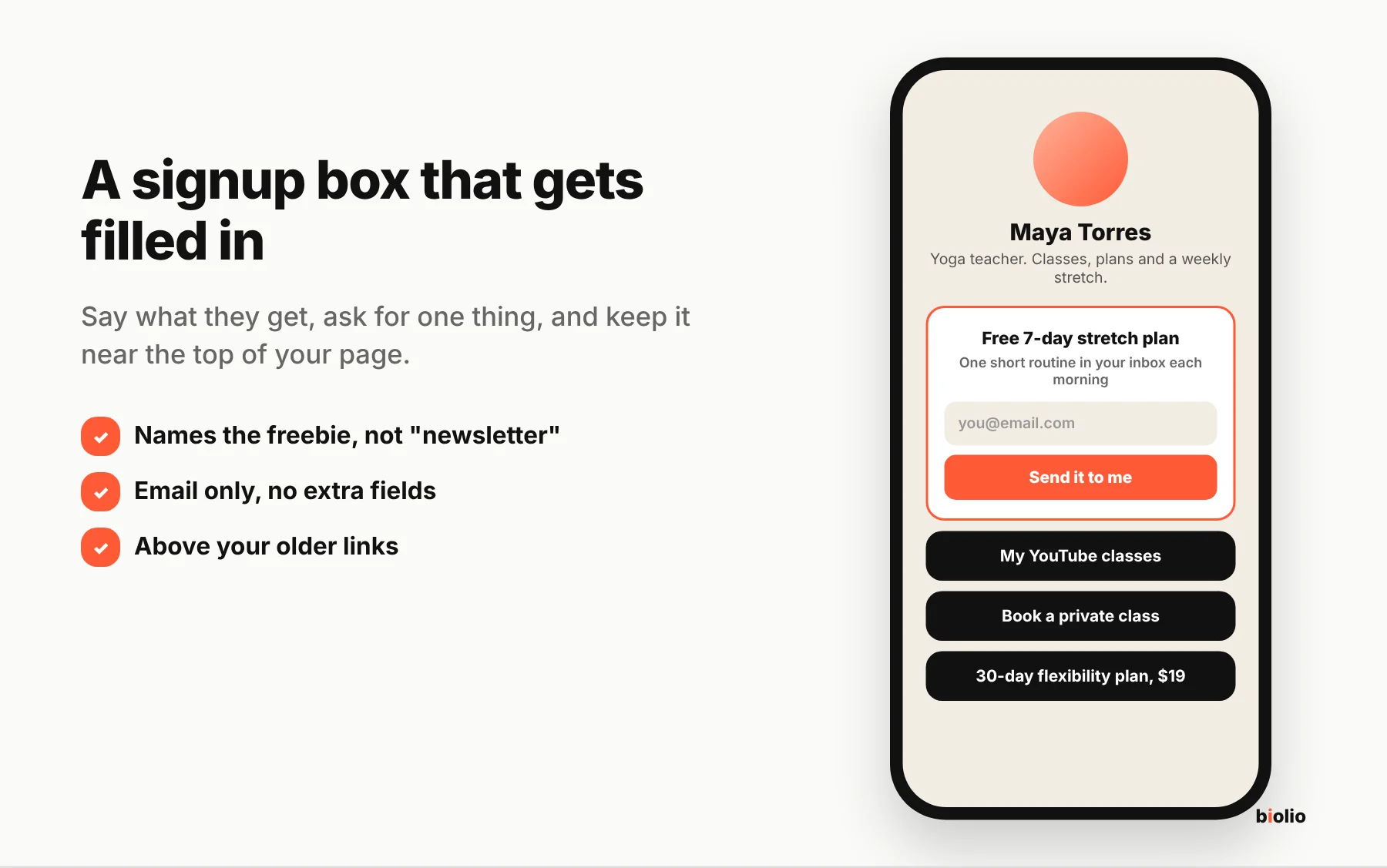
Three things decide whether the box gets filled in:
- Name the freebie in the heading. "Free 7-day stretch plan" beats "Subscribe to my newsletter."
- Ask for the email only. Each extra field is one more reason to give up, and you don't need a name to send an email.
- Keep it near the top. Put it above your older links, where a visitor sees it without scrolling. The link in bio checklist has the full order for the rest of the page.
Step 3: Tell people about it every week
A signup box nobody hears about collects nothing. Give people a reason to tap through, and repeat it.
- In your bio text: one line, such as "Free 7-day stretch plan below."
- In Stories: show the freebie on screen and add a link sticker to your bio page.
- At the end of Reels and carousels: say or write "the free plan is in my bio."
- In a pinned post: one post that explains the freebie and stays at the top of your grid.
- In replies: when someone asks a question the freebie answers, point them to it.
Once a week is enough. New followers haven't seen last month's mention.
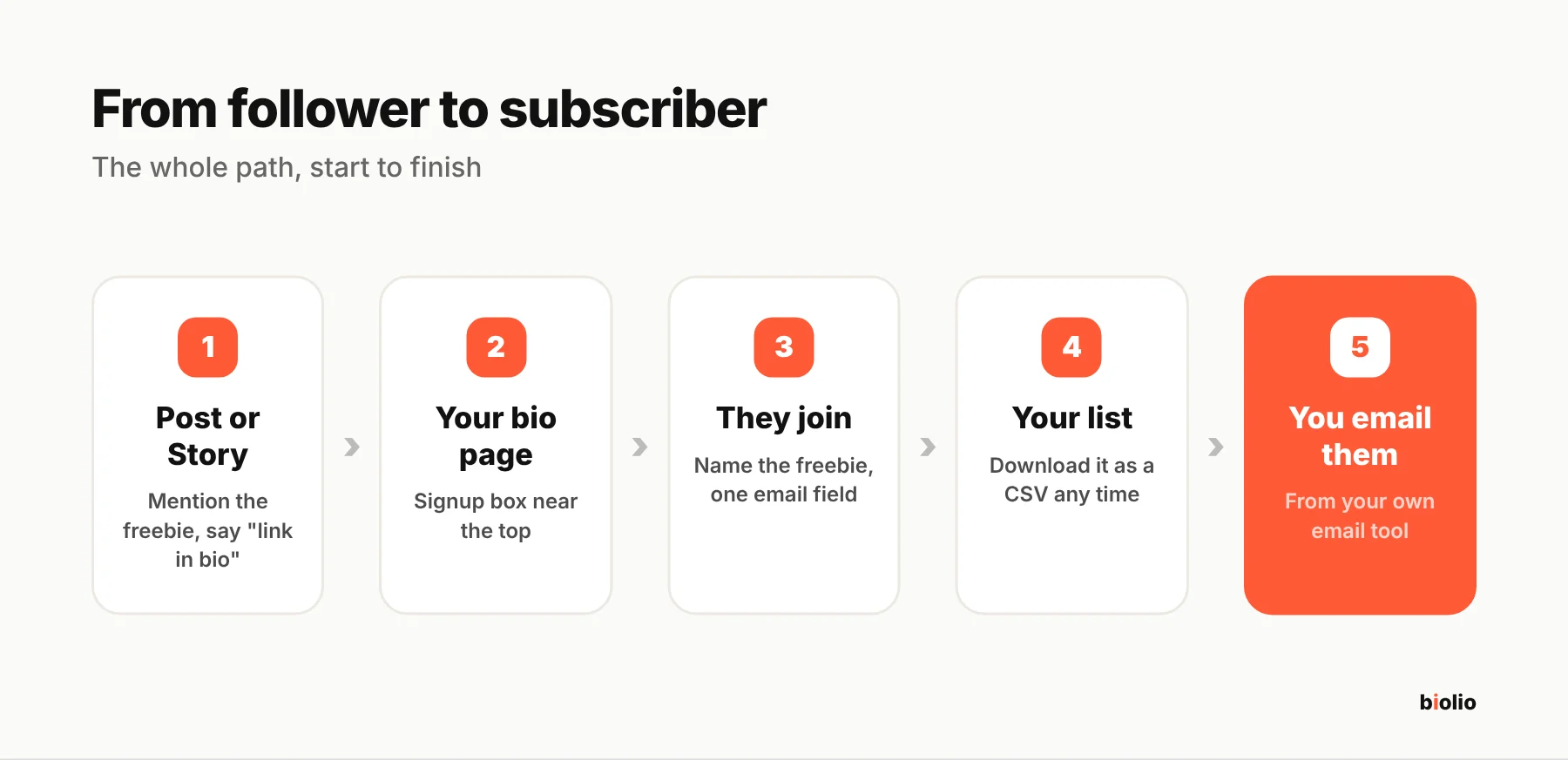
Step 4: Send the freebie, then keep writing
Send the freebie as soon as you can after someone joins, while they still remember signing up. Then pick a rhythm you can keep. One short email every week or two is plenty.
Things worth sending:
- A tip that didn't fit in a post
- The story behind something you made
- Early notice of a launch, with a subscriber-only price
- Your best post of the month, for people who missed it
A simple rule is three useful emails for every one that sells something. People stay on lists that help them.
Follow the email rules
If you send marketing email to people in the US, the CAN-SPAM Act applies to you, whatever the size of your list. The FTC's guide says each email must identify who it's from, use an honest subject line, include a valid postal address, and give a clear way to opt out, and you must honor opt-outs within 10 business days. Each email that breaks the rules can be fined up to $53,088 (FTC).
Email tools add the unsubscribe link and address for you, which is one reason to send from a tool and not from your personal inbox. Rules differ by country, and the EU and UK are stricter about consent, so check the rules where your subscribers live. Only email people who signed up themselves, and never buy a list.
Where biolio fits
A biolio page has an email signup block you can place anywhere on the page. Emails appear in your dashboard and you can download them as a CSV file to import into the email tool you send from. The free plan holds up to 100 subscribers and Pro is unlimited; the pricing page has the details. biolio collects the list and doesn't send emails for you.
FAQ
How many followers do I need to start an email list?
None. Start as soon as you have something useful to offer. A list of 50 people who asked to hear from you is worth more than it sounds, because every one of them gets your email.
Do I need a website to collect emails?
No. A link-in-bio page with a signup box does the job, and it's the link people already tap from your profile.
What should my first email say?
Deliver the freebie, say in one or two lines who you are and how often you'll write, and ask one question people can reply to. Replies tell you what to write next.
Can I just collect emails through DMs?
You can, but it doesn't scale and people mistype addresses. A signup box lets each person enter their own email, and it gives you a record that they asked to join.
Start with the freebie
Pick the freebie today, add the signup box, and mention it in this week's posts. If you don't have a bio page yet, you can create a free biolio page and add the signup block in a few minutes.